Quick Games to Play on a Break at Work: Browser Picks

Contents
- Why a 10-Minute Break Needs a Different Kind of Game
- The 5-Point Checklist for Quick Games to Play on a Break at Work
- 7 Browser-Only Picks That Fit Inside a Coffee Break
- Why Snake io Hits the 10-Minute Sweet Spot
- A 10-Minute GameSlither Routine You Can Actually Repeat
- Break Etiquette: Playing at Work Without Being That Person
- The Short Version
You have ten minutes, one browser tab and absolutely no interest in a 4 GB download or a sign-up form. The best quick games to play on a break at work are the ones that load in seconds, give you a real round in under five minutes, and stop cleanly when the clock runs out — no save files, no "just one more level" guilt trip. Below is how to judge a break game properly, seven browser-only categories worth your time, and a minute-by-minute routine you can repeat every single day.
Why a 10-Minute Break Needs a Different Kind of Game
A coffee break is not a gaming session. It's a short, interrupted, slightly stressful window where your brain is still half-chewing on the thing you were doing five minutes ago. That changes what "fun" even means.
Think about what kills a break game:
- Loading time. If the title screen takes 40 seconds, you've already burned 7% of your break.
- Accounts and installs. Anything asking for an email address is out. You're not building a relationship here.
- Long rounds. A 25-minute match that punishes you for leaving is the opposite of a break.
- Tutorials. You should understand the controls in one sentence.
- Progress anxiety. If quitting mid-run costs you something big, you'll keep playing past your break. That's how people end up explaining themselves in a meeting.
What a break game should do is flip your attention somewhere else fast, give you a tiny spike of "oh nice, that worked," and then let go of you without a fight. That's the whole brief. A round that lasts two to five minutes is ideal, because it means you can fit two or three attempts into ten minutes and still have time to top up your coffee.
There's also a focus angle. Short, reactive games give your working memory a reset, which is partly why so many people reach for them between tasks — the same reason games that sharpen focus and concentration are popular with students between study blocks. You're not trying to achieve anything. You're trying to come back to your desk with a clean head.
The 5-Point Checklist for Quick Games to Play on a Break at Work
Before you bookmark anything, run it through this. I've used this checklist to throw out a lot of games that looked great and wasted ten minutes.
- Does it load in under 10 seconds on a work laptop? Office machines are often locked down, running fourteen browser tabs and a video call client. A game that needs a beefy GPU is a non-starter. If you're on older hardware, browser games for low-end laptops are worth a look.
- Can you start without an account? No sign-up, no download, no launcher. One click, you're in.
- Is a round naturally short? You want the game itself to end, not your willpower.
- Can you mute it instantly? Open-plan offices are unforgiving. A mute button that's visible on screen beats hunting through a settings menu.
- Does quitting mid-round cost you anything serious? If you can close the tab guilt-free, it passes.
A bonus sixth point: can you play it on your phone with the same account or progress? Some breaks happen away from your desk. Being able to pick up the same game on a phone browser without reinstalling anything is a genuine quality-of-life win.
The red flags
If a site demands a download "for better performance," shows a 30-second unskippable video before the menu, or buries the play button under three pop-ups, it's not a break game — it's a trap. A clean, ad-light experience matters more at work than anywhere else; here's how to spot a clean site in about ten seconds.
7 Browser-Only Picks That Fit Inside a Coffee Break
These are categories rather than a shopping list, because the right pick depends on what kind of tired you are. Mentally drained? Go reflex-based. Overstimulated from back-to-back calls? Go slow and quiet.
1. Snake io / multiplayer worm games. The strongest all-rounder. Rounds are self-limiting (you die, you restart), controls are one hand on a mouse, and there's real competition from live players. This is the category GameSlither sits in, and it's the one I keep coming back to on breaks.
2. Number puzzles (2048 and friends.) Zero reflexes needed, infinitely pausable, dead quiet. Perfect when your hands are tired from typing. The downside: you can play forever without a natural stopping point.
3. Solitaire and card classics. The original office game for a reason. Very low stakes, very easy to abandon. Can feel a bit slow if you want an adrenaline nudge.
4. Daily word puzzles. One puzzle a day, done in four minutes, then the game actively stops you. Brilliant discipline — but you only get one shot, so it can't fill a whole break.
5. Chess puzzles / tactics trainers. Sharp, quick and genuinely good for pattern recognition. Each puzzle takes 20–90 seconds. Warning: easy to lose track of time when you're on a streak.
6. Typing speed tests. Weirdly satisfying, work-adjacent, and each run lasts 60 seconds. Also noisy if you're a heavy typist in a quiet room.
7. Minesweeper and logic grids. Pure deduction, no sound, no timer pressure unless you want it. A good "I need silence" option.
Here's how they stack up against the checklist:
| Game type | Typical round | No download / no sign-up | Live opponents | Quiet enough for an office | Clean stopping point |
|---|---|---|---|---|---|
| Snake io (GameSlither) | 2–6 min | Yes | Yes | Yes (mute button) | Yes — the round ends |
| Number puzzles | Open-ended | Usually | No | Yes | Weak |
| Solitaire | 3–8 min | Usually | No | Yes | Yes |
| Daily word puzzle | 3–5 min | Sometimes | No | Yes | Strong (one per day) |
| Chess puzzles | 1–2 min each | Often needs account | Sometimes | Yes | Medium |
| Typing test | 1 min | Yes | Leaderboards | Noisy keyboard | Strong |
| Minesweeper | 2–10 min | Yes | No | Yes | Medium |
The pattern is obvious once you see it laid out: the categories that score best are the ones where the game decides when the round ends, not you. That's the single most underrated feature in a break game.
Why Snake io Hits the 10-Minute Sweet Spot
I'll be upfront: this is the GameSlither blog, so of course I'm going to argue for the snake. But the argument holds up against the checklist, point by point.
It starts instantly. Open the page, type a nickname, you're in a match. No download, no account, no launcher — the same reason free multiplayer games with no download or sign-up dominate the break-time category.
The controls are one sentence. Move the mouse, your snake follows. Hold left click, Space or the ⚡ button to boost — boosting costs length and drops pellets behind you, so it's a real decision rather than a free button. On a phone or tablet, you drag with a thumb. That's the entire tutorial; there's a fuller walkthrough in how to play if you want the detail.
Rounds end themselves. You crash into another snake's body and the round is over. No negotiation. That's a feature on a break, not a flaw.
There's always a game running. Public rooms hold about 40 snakes — a mix of real players and AI snakes that step aside as more humans join, up to 50 players per room. So at 7am, at 3pm, at midnight, the arena is busy. You never load into an empty field and wait.
The AI has personality. Three types, and learning to read them is half the skill: shy snakes back away from anything bigger, hunters actively try to cut off smaller snakes, and gluttons sprint toward the pellet pile a defeated snake leaves behind. Spotting a glutton committing to a pellet trail is a free opportunity to cut it off.
It's mutable. There's a mute button right there. Sound effects, explosion effects and phone vibration are great at home and instantly switchable off at a desk.
The result screen gives you a clean ending. When you die you get max length, kills, time alive, best rank and coins earned — a tidy little summary that says "that was your run, go back to work." There's even a Share button that builds a result image if you want to wind up a colleague.
If you want the long version of this argument, we went deeper in the best snake game for adults with only 10 minutes.
A 10-Minute GameSlither Routine You Can Actually Repeat
Here's the structure I use. It turns a vague "I'll play something" break into a routine with a beginning and an end, which is exactly what stops breaks from quietly becoming 25 minutes.
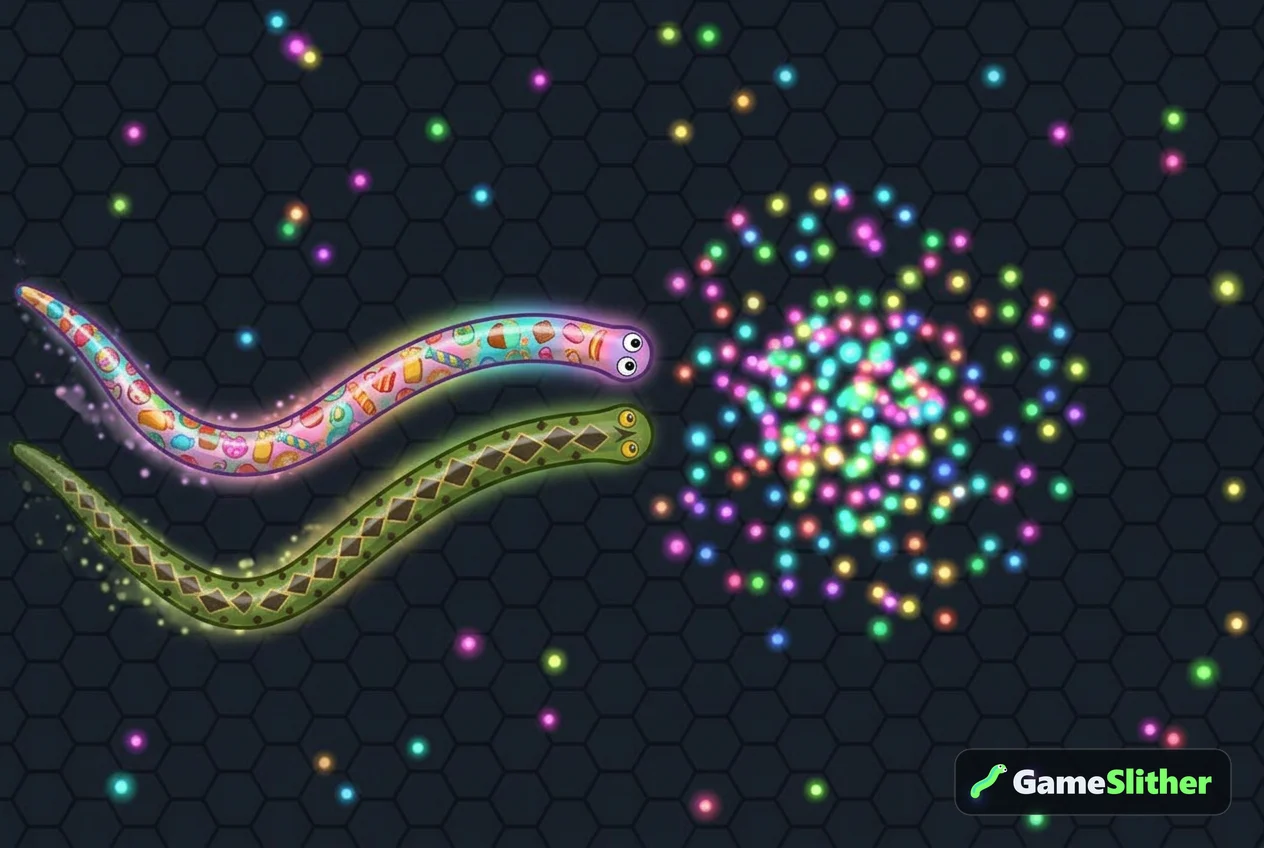
Minutes 0:00–0:30 — Set up. Open the tab, mute if you're in a shared space, pick your skin. There are six free ones (Classic with 12 colors, Neon Cyber, Golden Dragon, Rainbow Candy, Jungle Python, Galaxy) and swapping between them is a tiny ritual that signals "break mode" to your brain. Browse them on the snake skins page.
Minutes 0:30–1:00 — Check your daily missions. Three new missions land every day: play N games, defeat N snakes, reach a certain length, or survive N minutes in one life. Knowing your mission before you spawn gives the run a goal. If it's a survival mission, you'll play edge-hugging and patient. If it's a kill mission, you'll play aggressive. Also grab your daily login reward — it scales from 20 up to 200 coins across a seven-day streak, then the cycle restarts.
Minutes 1:00–4:00 — Run one: the warm-up. Don't chase anything. Eat loose pellets, learn where the crowded parts of the map are on the minimap, and stay out of fights until you're comfortably mid-sized. Most people die in the first 60 seconds because they boost at a big snake out of pure enthusiasm — a classic entry on the list of beginner mistakes that kill you fast.
Minutes 4:00–8:00 — Run two: the real attempt. Now you're warm. Play for one specific thing: a mission, a length target, or a spot on the leaderboard. If you want more length per minute, the technique guide on growing fast without dying early is the one to read.
Minutes 8:00–9:30 — Run three (optional) or read the result screen. If run two ended early, squeeze in a short third attempt. If it went well, spend the time looking at your stats: max length, kills, time alive, best rank.
Minute 9:30 — Close the tab. Not after the next round. Now. The whole point of a round-based game is that there's always a clean exit about 90 seconds away.
What to do with the coins
Free play earns coins as you go: +1 for every 10 length you reach and +5 for every snake you take down, plus instant payouts from daily missions. Coins have no money value — they just unlock cosmetics. The shop stocks 23 country-flag skins (the 20 most populous countries plus the UK, Italy and Spain) at 500 coins each, which is a nice slow-burn goal to chip away at over a couple of weeks of breaks.
Four more skins can't be bought at any price, and they make excellent break-time challenges because each one fits inside a single run:
- Inferno — reach length 1,500 in one life
- Frost — survive 10 minutes in one life
- Shadow — defeat 5 snakes in one life
- Aurora — log in 7 days in a row
Aurora is the easiest one to earn on breaks, because it literally just rewards showing up. Frost is the hardest to fit into a ten-minute window — you need a full ten minutes alive, which means one perfect run and no time for warm-ups.
Break Etiquette: Playing at Work Without Being That Person
A few hard-earned rules, because the fastest way to lose your break game is to make it everyone else's problem.
- Mute first, play second. Make it muscle memory. Explosion sounds carry.
- Check the vibration setting on your phone. A buzzing phone on a hard desk during a quiet moment is louder than the sound effects were.
- Keep it to one tab. Resist the urge to open a second game "to compare."
- Know your company's rules. Some workplaces block game domains entirely; some don't care at all as long as your work is done. Find out before you build a habit.
- Use a timer if ten minutes has a habit of becoming twenty. A phone alarm is less embarrassing than a manager walking past.
- Don't play during someone else's meeting. Obvious, but worth saying. Movement on screen is very visible from across a room.
One more thing worth knowing: the hall of fame tracks the longest snake in a single life, both weekly (resetting Monday) and all-time. That weekly reset is perfect for break players — every Monday the board is fresh and your lunchtime run actually has a shot at it. And if you ever clear your browser data or switch to a different machine, the account recovery code restores your coins and skins, so a work laptop and a home laptop can share the same progress.
Turning breaks into something social
If a couple of colleagues are into it, private rooms change the whole vibe. Create a room, share the 4-character code or the invite link (?room=CODE), and you've got a two-minute desk tournament with whoever's free. The kill feed does the trash talking for you — "X defeated Y" appearing in a shared room is genuinely funny at 3pm. For structure, there are plenty of tournament formats you can run in one sitting.
The Short Version
The best quick games to play on a break at work share four traits: they open in a browser tab with no download and no sign-up, they load fast on a mediocre laptop, each round ends on its own inside a few minutes, and you can mute them in one click. Puzzles and card games tick most of those boxes. A live snake arena ticks all of them and adds real opponents, which is what makes ten minutes feel like a proper break instead of a scroll.
So next time the kettle's boiling: open GameSlither, pick a skin, mute it, and see how long you can get before the coffee's ready. Two minutes to learn, and the round ends before your break does.
Frequently asked questions
What are the best quick games to play on a break at work?
The best ones run entirely in a browser, need no download or sign-up, and have rounds that end by themselves in a few minutes — snake io games, solitaire, number puzzles, daily word games and chess tactics all qualify. Snake io scores highest because the round ends when you crash, giving you a natural stopping point.
How long does one round of GameSlither take?
Most rounds last roughly two to six minutes depending on how carefully you play, which means you can comfortably fit two or three attempts into a ten-minute break. The result screen then shows your max length, kills, time alive and best rank so you can stop cleanly.
Can I play browser games at work without sound?
Yes — GameSlither has a visible mute button, so you can switch off all sound effects in one click before your first round. On phones it's also worth turning off vibration if you're in a quiet shared space.
Do I lose my progress if I close the tab mid-game?
You'll lose the current run, but your coins, unlocked skins and daily mission progress stay saved. If you ever clear your browser data or move to another device, the account recovery code restores your coins and skins.
Are browser games heavy on a work laptop?
Good ones aren't. GameSlither runs in a normal browser tab on desktop, mobile and tablet with no install, so it works on modest office hardware — see our guide to browser games for low-end laptops for more picks.