Best Free Snake Game for Tablet: Touch-Friendly Picks
Contents
Tablets are arguably the best hardware a snake game can run on: a big screen, a wide viewport and a thumb that never has to leave the glass. The short answer for anyone searching for the best free snake game for tablet is a browser-based multiplayer snake in the Slither.io style — no install, no sign-up, instant rounds — and GameSlither is built exactly that way. Below is what to look for, how to test a game in under a minute, and which formats actually work on touch.
What makes a snake game genuinely tablet-friendly
Plenty of snake games technically load on a tablet. Far fewer are comfortable to play for twenty minutes. The difference comes down to five things:
- Drag-to-steer, not a virtual D-pad. Snake games are about smooth arcs. On-screen arrow buttons turn a fluid game into a stuttery one.
- A boost you can hold. Boosting should be a dedicated on-screen control, not a double-tap gesture that fires by accident. In GameSlither you hold the ⚡ button (or Space/left click if a keyboard or mouse is attached).
- A viewport that uses the whole screen. A tablet gives you more visible playfield than a phone, which is a real tactical advantage — you see incoming snakes earlier.
- No forced install. If a game wants an app store download before you can test it, it has failed the "quick round" test.
- Readable HUD at arm's length. Leaderboard, minimap and kill feed should be legible without squinting.
If a game ticks those five boxes, almost everything else is preference. Our longer checklist for judging a browser game lives in What Makes a Good io Game? 8 Checks in 60 Seconds.
Touch-friendly formats, compared
Snake games fall into a handful of recognisable formats, and they don't all translate to glass equally well. Here's how they stack up for tablet play:
| Format | Controls on touch | Session length | Multiplayer | Tablet verdict |
|---|---|---|---|---|
| Modern multiplayer snake (Slither.io style) | Drag to steer, hold to boost | 2–10 minutes | Yes, live | Best overall fit |
| Grid-based retro Snake (Nokia style) | Swipe or four buttons | 3–15 minutes | Usually solo | Works, but swipes misfire |
| Puzzle/level snake games | Tap targets | Variable | No | Fine, slower pace |
| 3D snake runners | Tilt or drag | 1–5 minutes | Rare | Tilt is awkward on a 10-inch slab |
| Downloadable snake apps | Varies wildly | Variable | Varies | Install overhead, ads common |
The pattern is consistent: continuous steering beats discrete input on touchscreens. That's why the Slither.io-style format — which GameSlither follows while being an independent game, not affiliated with Slither.io or Lowtech Studios — has become the default for tablets. There's a feature-by-feature breakdown on the GameSlither vs Slither.io section if you want the specifics.
How GameSlither handles touch
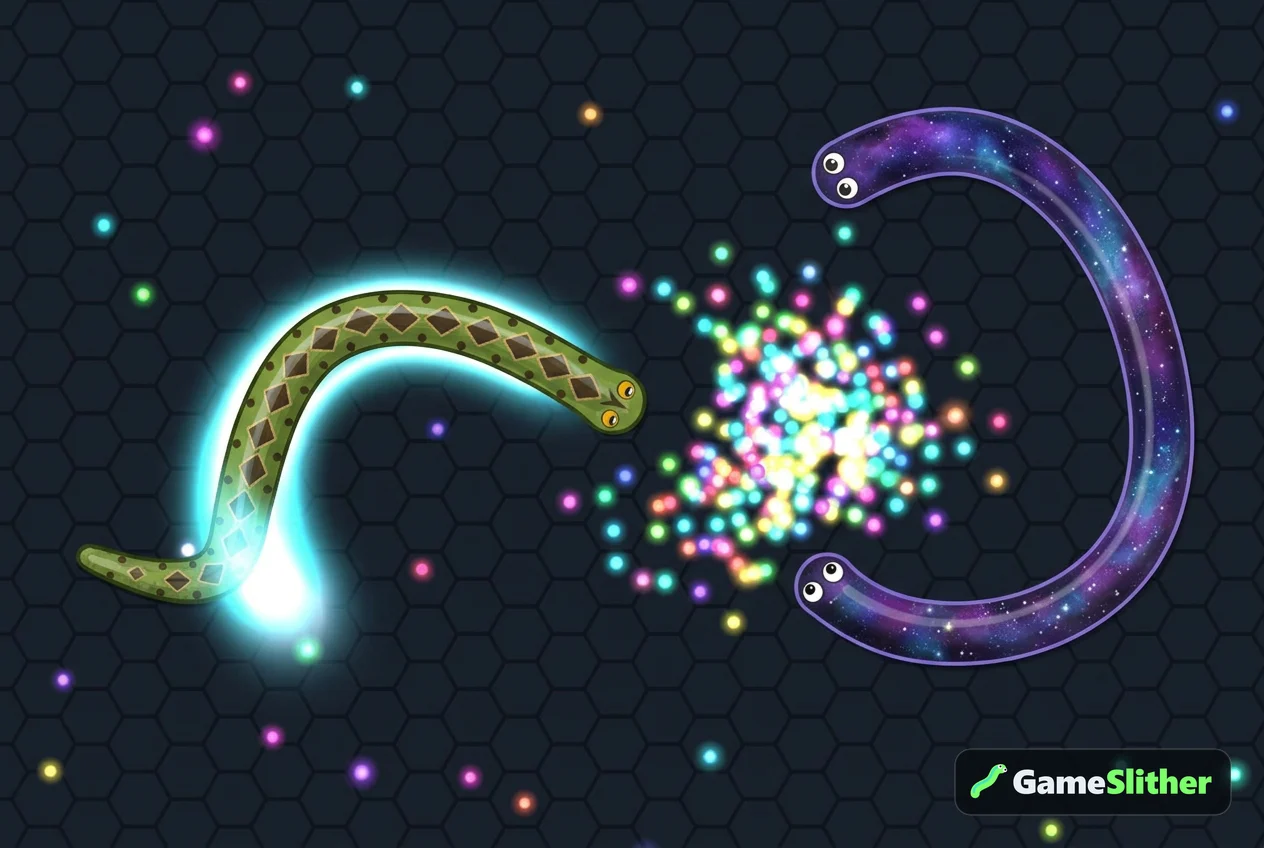
The control scheme is deliberately minimal. You place a finger on the screen and the snake's head follows it; lift and it keeps its heading. There's no calibration step and no settings menu to wade through — details are on the how to play page.
A few tablet-specific notes:
- Steer from the edge, not the middle. Keeping your finger near the bottom-left or bottom-right corner means your hand never covers the part of the map you're watching.
- The ⚡ boost button is thumb-sized on purpose. Hold it to sprint; release immediately. Boosting burns length and leaves a pellet trail behind you, so it's a tool, not a travel mode.
- Vibration feedback fires on kills and deaths, which is surprisingly useful when the sound is muted — and there is a mute button if you're playing somewhere quiet.
- Landscape orientation is worth the extra second it takes to rotate the tablet. Wider field of view, earlier warning of incoming snakes.
Every public room holds about 40 snakes at a time: real players plus AI snakes that step aside as more humans join, up to 50 players per room. The AI isn't filler — the three personalities behave differently. Shy snakes keep their distance from anything bigger. Hunters try to cut off smaller snakes. Gluttons sprint straight at the pellet pile a defeated snake leaves behind. If you want the reasoning behind that design, we covered it in Why Do io Games Have Bots?.
A 60-second test for any tablet snake game
Before you commit to a game, run this quick sequence. It separates the smooth ones from the ones that will frustrate you on turn three.
- Time the load. Open the page cold. If you're not steering within a few seconds, close the tab.
- Draw a slow circle. Your snake should trace it cleanly, with no lag between finger and head.
- Hold boost for two seconds. Watch for frame drops and check that releasing stops the boost instantly.
- Make a tight turn next to your own tail. If the collision feels unfair or imprecise, that's a problem you'll hit every round.
- Check the HUD. Can you read the leaderboard and minimap without leaning in?
- Die on purpose. See what the result screen shows and how fast you can restart. GameSlither reports max length, kills, time alive, best rank and coins earned, plus a Share button that generates a result image.
Step 6 matters more than people expect. A clean, fast restart loop is the difference between a game you play once and a game you keep open during a commute.
Battery, data and performance on tablets
Older iPads and budget Android tablets can struggle with poorly optimised browser games. Three practical habits help:
- Close background tabs. Browser games share memory with everything else you have open; a tablet with 15 tabs will stutter.
- Lower the screen brightness rather than the frame rate. Brightness is usually the bigger battery drain in a short session.
- Prefer Wi-Fi for multiplayer. Real-time snake games are latency-sensitive, and a weak mobile signal shows up as rubber-banding during fights.
If you're on genuinely old hardware, our checklist in Browser Games for Low End Laptops applies to tablets too, and Why Is Slither io Lagging in My Browser? walks through the usual culprits.
Progression without an account
One of the quiet advantages of a browser snake game on a tablet is that there's nothing to sign up for. GameSlither keeps progress locally and gives you a recovery code so you can restore coins and skins on another device or after clearing browser data — handy if your tablet is the family's shared device.
What you can earn just by playing:
- Coins at +1 per 10 length reached and +5 per snake taken down. They have no money value.
- Three daily missions — play a number of games, defeat a number of snakes, reach a length, survive a set time in one life — that pay coins the moment you complete them.
- A daily login reward that scales from 20 up to 200 coins across days 1–7 of a streak, then cycles again.
- Hall of fame entries, with weekly rankings starting each Monday and an all-time board for the longest snake in a single life.
On skins: Classic is the free one and comes in 12 colours, which is plenty if you just want to play. Jungle Python (500 coins) and Galaxy (700 coins) can be unlocked with coins from normal play. The premium and VIP sets, plus the 43 country-flag skins, are one-time purchases on the website — they're optional, and none of them change how your snake handles. You can browse the full list on the snake skins page.
Tactics that work better on a tablet
The larger viewport changes how you should play compared to a phone:
- Use the extra sightline to plan cut-offs early. You can see a rival's trajectory several body-lengths sooner than a phone player can.
- Circle wide, not tight. Tablets reward smooth, large arcs; aggressive micro-turns are where finger-slip deaths happen.
- Farm the aftermath. When the kill feed announces a big snake going down, the pellet cloud is worth more than ten minutes of grazing — but so is the crowd of gluttons racing you to it.
- Respect the boost cost. New players burn half their length chasing a kill they were never going to land.
More on surviving the early game in How to Survive as a Small Snake in Slither io, and on steady growth in How to Grow Fast in Snake io Without Dying Early.
The verdict
For most people, the best free snake game for tablet play is whichever one loads instantly, steers with a finger drag and lets you restart in a second — and that points squarely at a browser-based multiplayer snake rather than an app store download. GameSlither runs on desktop, mobile and tablet browsers in 11 languages, with no install and no account required, plus private rooms if you want to share a 4-character code with friends.
Rotate the tablet to landscape, start a round, and see how long you last in a lobby of 40 snakes.
Frequently asked questions
Can I play GameSlither on an iPad without downloading an app?
Yes. GameSlither runs directly in the tablet's browser with no download and no sign-up — you open the page and steer with your finger.
How do touch controls work in a browser snake game?
You drag your finger and the snake's head follows it, and you hold the on-screen ⚡ button to boost. Boosting costs length and drops pellets behind you, so use it in short bursts.
Is a tablet better than a phone for snake io games?
Usually yes. A bigger screen shows more of the playfield, so you spot approaching snakes earlier and have more room for wide, controlled turns.
Can I play with friends on a tablet?
Yes. You can create a private room and share its 4-character code or invite link, and your friends can join from any desktop, mobile or tablet browser.
Do I lose my coins and skins if I clear my browser data?
Not if you save your account recovery code first. That code restores your coins and skins on another device or after the browser data is cleared.